


AM32 is an open-source ESC (Electronic Speed Controller) firmware widely used on FPV drones and small-to-medium multirotor platforms. Soldering the ESC to the motor is only the first step: factory-default parameters are tuned for a standard 5-inch FPV build and must be re-flashed after you swap motors, props, or frames. Wrong settings cause weak thrust, motor vibration, abnormal heat, and in the worst case a permanently burned ESC. This guide walks through the complete AM32 tuning procedure based on the WBP official tuning manual, and flags the parameters that most often go wrong.
Prerequisites & Safety Preparation
Before you open the configurator, finish the hardware checklist:
- Reliable solder joints between each ESC and its motor, with a suitable filter capacitor on the power terminal.
- Signal wires routed to the correct motor output channels on the flight controller.
- Flight-controller firmware confirmed as Betaflight, INAV, or ArduPilot.
- Flight controller connected to the computer by USB.
Safety rule for the whole tuning session: remove every propeller. Accidental motor spin-up during parameter testing is a real injury risk.
Tuner & ESC Wiring
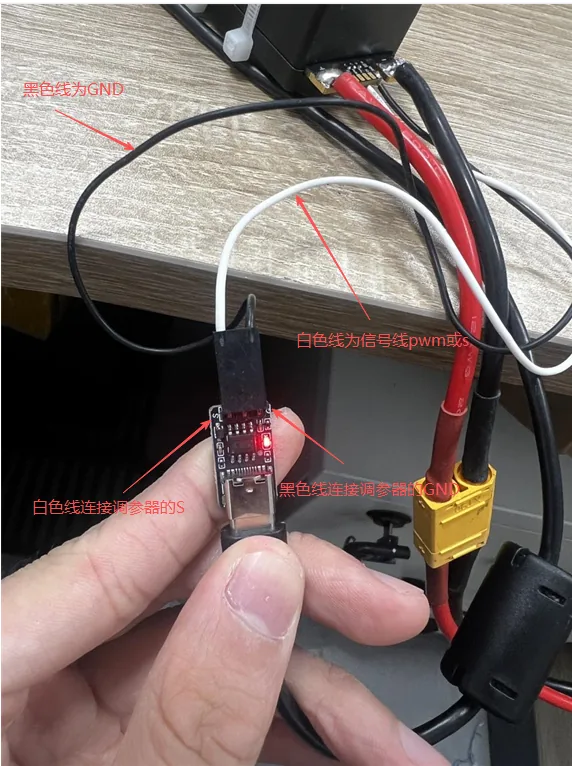
Connect the AM32 USB tuner: el white wire goes to the ESC PWM/S signal port, el black wire a GND, and the tuner USB plugs into your computer.
Power the ESC Safely
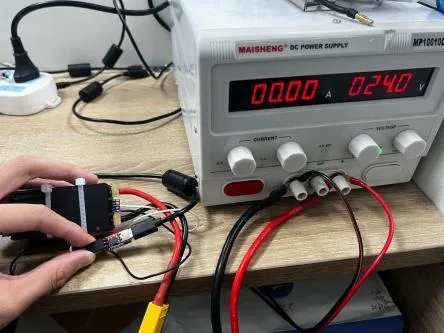
Connect the ESC to a matched LiPo power source. Before flipping the switch, verify supply polarity, voltage rating, and that every connector is seated firmly. Reversing polarity on a powered ESC destroys it instantly.
Connect the AM32 Web Configurator
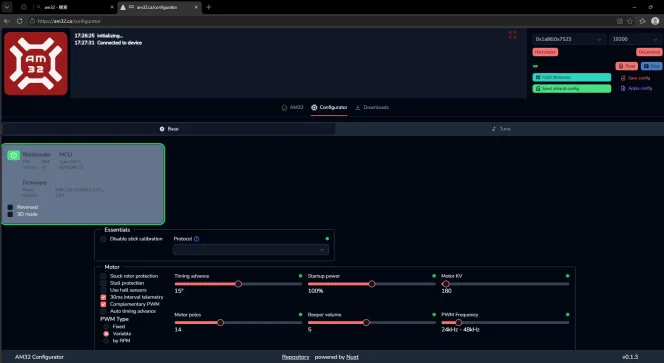
Abierto am32.ca in Chrome or Edge. Select the correct COM port, power the ESC with the LiPo, and click Read to load the current parameters.
Critical Parameters You Must Verify
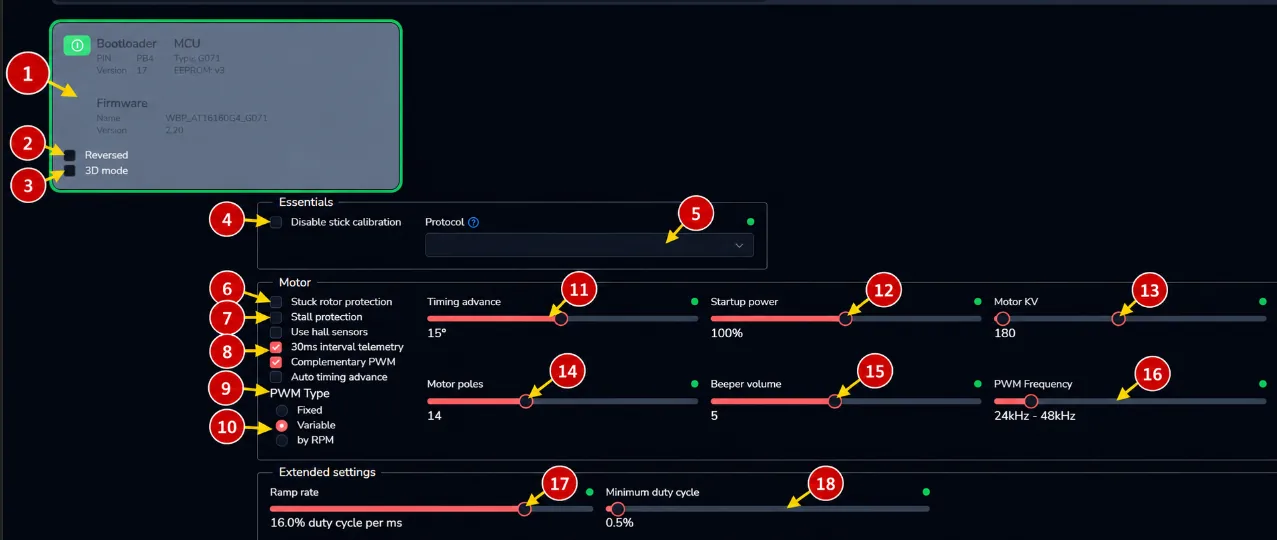
After a successful read you can configure each ESC channel: rotation direction, motor KV, pole count, and protection thresholds. Four settings deserve extra attention.
Motor KV Value
Enter the actual rated KV printed on the motor label, not a guess from a similar motor. KV sets the ESC timing and throttle curve; an incorrect value costs thrust and adds heat.
Motor Pole Count
Enter the exact number of motor poles. A wrong pole count is the most common cause of motor shaking and rapid temperature rise after a fresh build.
Motor Rotation Direction
With props off, command each channel individually and confirm the spin direction matches the flight-controller mixer order.
Protection Thresholds
Set over-current and temperature limits to match your airframe’s actual load. Never disable protection functions just to squeeze out more thrust.
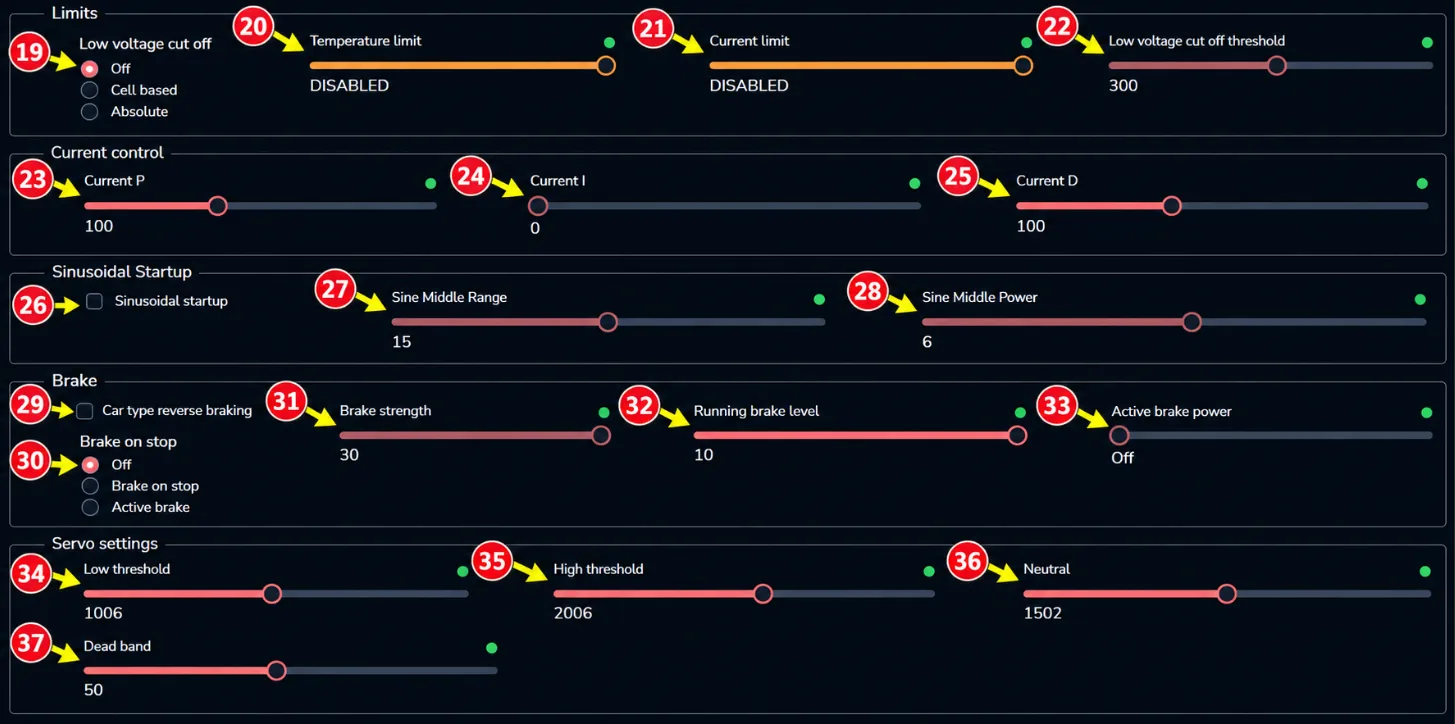
Low-Voltage Cutoff, Current Limit & Brake
Configure LVC, temperature limit, current limit, and brake parameters for your airframe. For long hover missions a slightly conservative current limit is safer than an aggressive one.
Save, Flash & Reboot the Flight Controller
Select the target ESC channel and click Save. Do not cut power during the write. On the flight controller, confirm the ESC protocol, enable the matching DShot speed grade, then fully power-cycle the FC.
Post-Tuning Verification
When tuning is finished, power-cycle the whole system and click Read again to confirm your modifications are actually stored on the ESC.
Correct AM32 configuration unlocks the full performance of your motors and ESCs while reducing overheating and failure risk.
Frequently Asked Questions
What is AM32 ESC firmware?
AM32 is open-source ESC firmware for FPV and small-to-medium multirotors, configured through am32.ca over USB, supporting Betaflight, INAV, and ArduPilot.
Do I have to retune AM32 ESCs after changing the motor?
Sí. Whenever you swap the motor, frame, or prop size, re-enter the motor KV and pole count and re-verify rotation direction and protection thresholds.
Why is my motor shaking and overheating after tuning?
Most likely an incorrect motor pole count; second most likely a mismatched KV value. Double-check both and re-flash.
Is it safe to power the ESC from USB only?
No. The tuner is signal-only. The ESC must be powered by a matched LiPo for the motor to spin.
Can I disable protection to get more power?
No. Protection limits should match your airframe load, not be switched off. Disabling them is the leading cause of permanent ESC burnout.
Why are my new AM32 settings not taking effect?
Either you did not click Save (or power was cut during the write), or you did not fully reboot the flight controller after changing the DShot protocol.
Technical References
- AM32 ESC Web Configurator: am32.ca
- Betaflight Official Documentation
- ArduPilot Official Documentation